Since the TONEX preset import is not exactly copy-paste, here is our hopefully helpfull guide to get our amp models into your TONEX library. We made this as detailed as possible to address all hickups we could think of. Better too much than to little info.
IMPORT
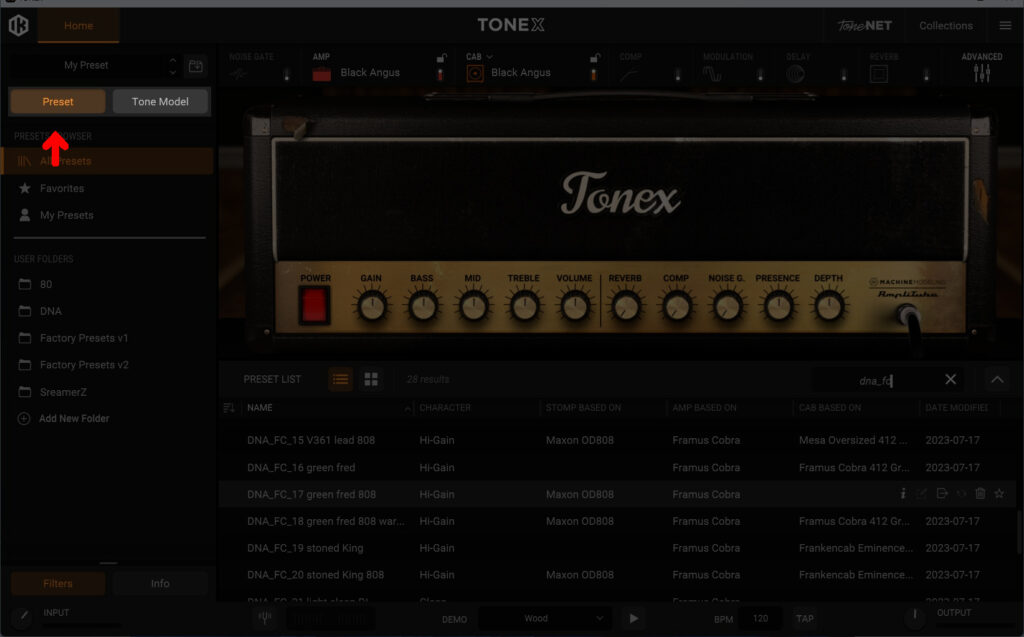
In the upper left area of the TONEX app there are two buttons “Preset” and “Tone Model“. Please click on “Preset“
Then go above the two buttons where “My Preset” is shown. When you click on it you get a popup menu. Click on “Import Preset“
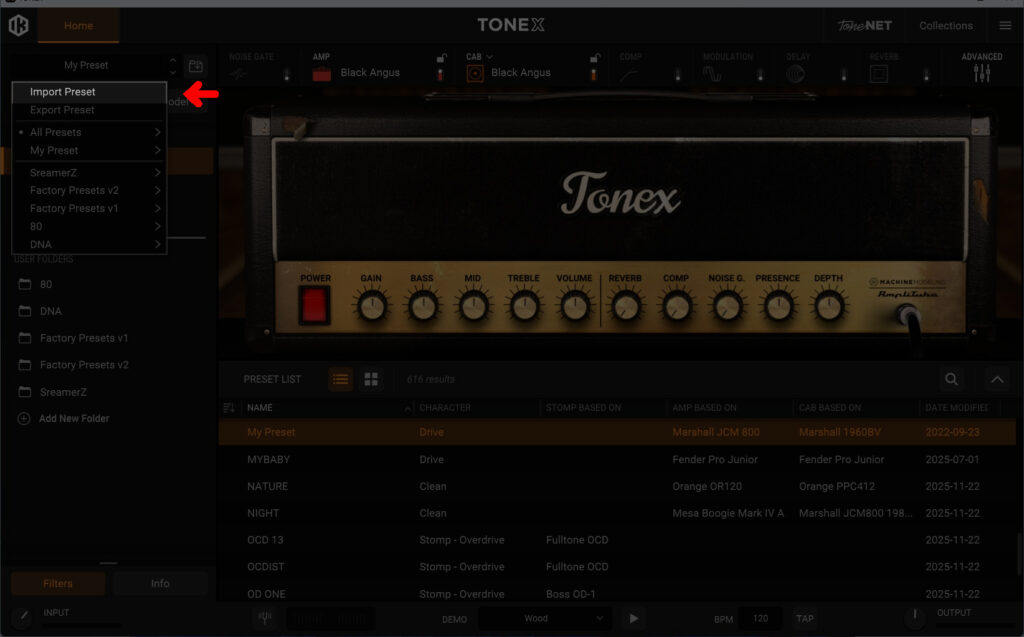
A “Explorer” will open. Go to the folder where your presets are, select the files you want to import and click “import”.
SEARCH FOR DNA AMP MODELS
To find our TONEX models you stay in the “Preset” mode you selected as first step for importing. This is important since our file naming is based on the preset. The underlying tone model may have a different name. When in Preset mode you should be able to find our files with the search function. Click on the magnifying glass in the middle/lower right area. All our presets can be found via typing “DNA”. If you search for a specific amp of ours you may use the shorts we used to name them. Our Framus Cobra models are named “DNA_fc“, our Brunetti XL is named “DNA_br” and so on.

If everything went right this should show you your DNA files as shown in the picture.
If that’s not the case something went wrong. Please hit us up at support@d-night-audio.com then.
We hope that helps.
Happy rocking!
DISCLAIMER!
All names of any brands are trademarks owned by their respective manufacturers and are not in any way affiliated with d-night-audio. iK Multimedia is also owner of the graphic design used in these screenshots. d-night-audio only highlighted certain aspects to describe functionality.